Hacked WordPress site repair
Is your WordPress site hacked? We investigate, restore a clean copy of your site, close the way in and scan it again.
Our WordPress hack repair and malware removal service starts from €149 plus tax. We check your site first and confirm the price before any work starts. Let’s talk!
In the form, choose “My site is hacked”. If you are already our client under WP Paladin care plan and your site is down or hacked, we start work as soon as we see it, usually within a few hours, 7 days a week.
How do I know my WordPress site has been hacked?
These are the signs we see most often, but not limited to:
- Google shows a warning that your site may be hacked or harmful
- Visitors are sent to other websites, like spam, gambling or fake shops
- Pages, links or admin users appear that you did not create
- Your host suspends the site or sends you a malware notice
- Your security plugin keeps reporting infected files
If you see any of these, do not delete files or reinstall WordPress yourself. It can remove the clues we need for the investigation.
For a longer list of signs, and free checks you can run yourself, read Is my WordPress site hacked? 7 warning signs.
What needs to be done to fix a hacked WordPress site
Proper WordPress malware removal takes more than running a scanner, because one missed file can let the attacker back in. This is the work it takes to clean a hacked WordPress site, and it is best done by someone who knows WordPress well:
- Scan the files and the database with a proper malware scanner, then check the results by hand.
- Find how the attacker got in, usually an outdated plugin or theme, or a weak or stolen password.
- Restore the last clean backup, or rebuild the site from clean parts: a fresh copy of WordPress, with the theme and plugins reinstalled from their original source.
- Check the uploads folder. It should only hold images and documents, so any code files found there are removed.
- Check the database for hidden links, scripts and admin users you did not create.
- Close the way in by updating or replacing the plugin or theme that was used.
- Change every password: WordPress, hosting, database and FTP.
- Harden the site so the same attack does not work again, for example by turning off file editing in the dashboard and forcing secure logins.
- Scan again to confirm the site is clean, and help you remove the Google warning if there is one.
We do all of this for you. Before we restore a backup, we confirm its date with you in writing, because anything changed on the site after that date is lost.
What if there is no clean backup?
Then a deeper cleanup is needed, file by file. It takes more work, so we tell you what it involves and the price before anything starts, and you decide if you want to go ahead.
What do you need from me?
- A WordPress admin user for us. We will show you how to create one in two minutes.
- Access to your hosting: a cPanel login, or an FTP account and database details.
Send them through a secure one-time link (we will send it), never in a normal email. We will send you a special link so you know it’s us. Once the site is fixed, we change every password, so nothing you shared stays in use.
How do I stop it happening again?
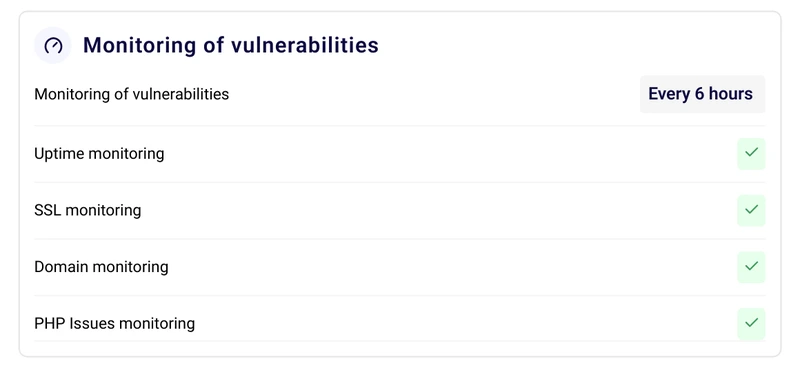
Most hacks come in through outdated plugins and weak passwords. After the repair, you have the option to move your site onto WP Paladin Care: daily backups, safe updates, a firewall, daily malware scans and security checks every 6 hours.
If your site is hacked after 30 days on the plan, we restore it from a clean backup at no extra cost. Plans start at €29 a month plus tax.
If Chrome shows a red warning on your site, see what “Deceptive site ahead” means. If Japanese pages show up in Google under your site, see how to remove the Japanese keyword hack.
Need help right now?
Tell us what you are seeing. We check your site and confirm the price before we start.